Integrating Flat Icon - Education Clock into Professional Design Workflows
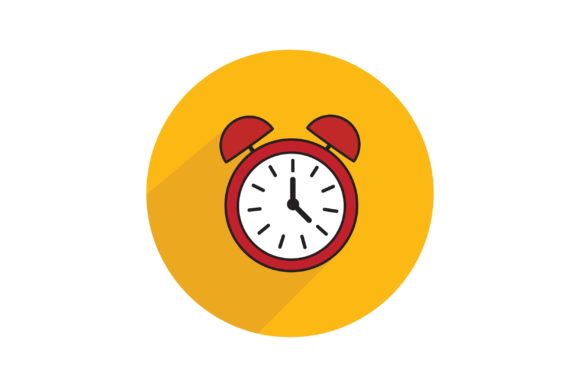
Visual communication in the education and productivity sectors requires a balance of clarity and aesthetic appeal. The Flat Icon - Education Clock serves as a specific visual anchor for projects involving time management, academic scheduling, e-learning platforms, or institutional planning. Unlike generic clip art, this asset is designed to integrate seamlessly into professional design systems, offering versatility across multiple stages of content creation. Understanding how to leverage this icon effectively involves more than simply placing it on a canvas; it requires strategic implementation regarding file formats, workflow timing, and cross-platform consistency.
Selecting the Correct File Format for Your Workflow
The utility of the Flat Icon - Education Clock depends heavily on choosing the appropriate file format for your specific output medium. This asset package includes AI, EPS, PNG, and JPG files, each serving a distinct purpose in the production pipeline. Selecting the wrong format can lead to pixelation, excessive file sizes, or unnecessary editing friction.
Vector Formats for Scalability and Editing
For designers working in Adobe Illustrator, Affinity Designer, or CorelDRAW, the AI File and EPS File are the primary sources of truth. These vector-based formats allow for infinite scaling without quality loss, making them essential for large-format printing such as banners, trade show displays, or environmental signage. More importantly, they provide editability. You can adjust stroke weights, modify color palettes to match brand guidelines, or combine the clock element with other vector shapes to create custom composite illustrations. The EPS format also ensures backward compatibility if you are collaborating with teams using older software versions or open-source alternatives like Inkscape.
Raster Formats for Digital Deployment
When the project moves to digital execution, raster formats become necessary. The PNG File is typically the most valuable asset for web and app designers due to its support for transparency. This allows the Education Clock to be placed over colored backgrounds, gradients, or photographs without an unsightly white box surrounding it. PNGs are ideal for UI kits, presentation slides, and social media graphics where crisp edges are required at fixed resolutions.
The JPG File serves a different niche. While it lacks transparency, it offers smaller file sizes and universal compatibility. This format is best suited for email newsletters, internal documentation, or draft mockups where bandwidth is a concern and transparent backgrounds are unnecessary. For high-resolution marketing materials, ensure you are using the highest resolution JPG provided to avoid compression artifacts that can undermine professional credibility.
Strategic Application Across Project Phases
The Flat Icon - Education Clock is not merely a decorative element; it functions as a semantic signifier throughout various phases of a project. Its application should be intentional, supporting the user experience rather than distracting from it.
Pre-Project Planning and Pitching
During the proposal or pitching phase, clarity is paramount. When presenting a new curriculum, tutoring service, or productivity app to stakeholders, this icon helps visualize abstract concepts like "course duration," "deadline management," or "learning milestones." Using the vector version in pitch decks allows you to maintain visual consistency even if the deck is projected on large screens or printed as handouts. At this stage, the icon acts as a conceptual placeholder that communicates professionalism and organizational competence before the final product exists.
Active Development and Content Creation
In the execution phase, the icon integrates into broader design systems. For landing pages, it can serve as a feature highlight next to copy explaining course schedules or certification timelines. In infographic design, the Education Clock provides a recognizable metaphor for temporal data, helping users quickly parse information about study hours or program length. For educators creating learning management system (LMS) content, consistent use of this icon creates a visual language that reduces cognitive load for students navigating complex course structures.
Post-Launch Marketing and Promotion
After a product or service launches, the asset transitions into promotional roles. Social media posts advertising enrollment deadlines, webinar start times, or limited-time offers benefit from the immediate recognition of clock imagery. Because the flat design style is inherently modern and unobtrusive, it pairs well with photography and typography-heavy layouts common in digital advertising. Consistency here reinforces brand recall; seeing the same stylized clock across emails, ads, and blog posts creates a cohesive narrative thread.
Technical Integration and Compatibility
Successful implementation requires attention to technical details that affect workflow efficiency. The Flat Icon - Education Clock must interact smoothly with existing tools and assets.
- Color Management: Before importing the AI or EPS file, verify your document’s color mode. Use CMYK for print collateral to ensure color accuracy, and RGB for digital assets. Converting between modes after editing can sometimes alter flat colors unexpectedly.
- Layer Organization: When editing the vector source, keep layers organized. If you modify the clock to create variations (e.g., adding a checkmark or alarm symbol), save these as separate artboards or symbols within your master file. This prevents version control issues later.
- Responsive Web Design: For web implementation, consider converting the PNG or AI file to SVG code if possible, or use responsive image tags with the provided PNGs. This ensures the icon remains sharp on retina displays and mobile devices without impacting page load speed.
- Accessibility: Always include descriptive alt text when using the icon digitally. Instead of generic text like "clock icon," use context-specific descriptions such as "Icon indicating 4-week course duration" or "Symbol representing assignment deadline." This improves SEO and ensures compliance with accessibility standards.
Maintaining Visual Consistency and Quality Control
A single icon rarely exists in isolation. To maximize the value of the Flat Icon - Education Clock, it must be treated as part of a larger visual ecosystem. Quality control involves ensuring the icon harmonizes with other elements in your design suite.
Pay close attention to line weight and corner radius. If your accompanying icons use 2px strokes and rounded corners, but the Education Clock uses 4px strokes and sharp edges, the inconsistency will be visually jarring. Use the editable vector files to adjust these parameters so the clock matches your existing icon set. This level of refinement distinguishes professional design from amateur assembly.
Consider the negative space around the icon. Flat design relies on breathing room to remain legible. When placing the clock in dense infographics or busy banners, ensure adequate padding prevents visual clutter. Test the icon at various sizes; what works on a desktop monitor may become indistinguishable on a mobile notification bar. Establish minimum size guidelines in your brand documentation to prevent misuse.
Optimizing for Diverse Use Cases
The versatility of this asset extends beyond traditional graphic design. Understanding niche applications can unlock additional value for specific professional roles.
For Educators and Instructional Designers
Use the icon to create visual cues within slide decks and worksheets. A small clock in the corner of a slide can indicate estimated reading time or activity duration, helping learners manage their cognitive energy. In printed workbooks, it can demarcate timed exercises or break periods, adding structure to self-paced learning materials.
For Marketers and Entrepreneurs
Leverage the icon in A/B testing for ad creatives. Test variations where the clock is prominent versus subtle to gauge audience response to urgency signals. In email marketing, use it as a bullet point for schedule-related information to break up text blocks and improve scannability. The flat style ensures it renders correctly across all major email clients without triggering spam filters associated with complex images.
For Productivity App Developers
Integrate the icon into user interfaces as a status indicator or navigation element. Its clean geometry makes it suitable for toolbars, tab bars, and empty states. Ensure you export multiple densities from the master file to support various device pixel ratios, maintaining crispness across the entire user base.
Long-Term Asset Management
Purchasing the Flat Icon - Education Clock is an investment in your design library. Proper organization ensures long-term usability. Store the master AI/EPS files in a centralized, cloud-synced asset library with clear naming conventions (e.g., Education-Clock-Flat-Master.ai). Create a subfolder for exported derivatives organized by format and resolution. Document any custom modifications made to the original file so future team members understand the design decisions.
Regularly audit your usage of the asset. As design trends evolve, you may need to refresh the color palette or adjust styling to keep the icon feeling current. Because you possess the editable source files, this evolution is cost-effective and maintains continuity with your established visual identity. By treating this icon as a living component of your design system rather than a static disposable graphic, you ensure it continues to deliver value across countless future projects, campaigns, and educational initiatives.